CASE STUDY 1
Reducing operational overhead through a overview dashboard
for Gitlab Dedicated
GitLab is the leading DevSecOps all-in-one platform for building and delivering software. The platform has over 50 million registered users, including more than half of the Fortune 100 companies.
What is Switchboard?
Switchboard is part of the GitLab's Dedicated offering. GitLab Dedicated is designed for large enterprises, often supporting thousands of engineers per customer, with reference architectures supporting up to 10,000 users. It is a single-tenant SaaS platform aimed at organizations with complex compliance needs.
Switchboard is like a core control panel that allows customers to manage and configure their environments themselves. It helps GitLab Dedicated customers control their own tenant environments and reduce the amount of manual work needed from internal teams.
Core responsibilities
• Interface design
• User experience strategy
• Design validation
The problem
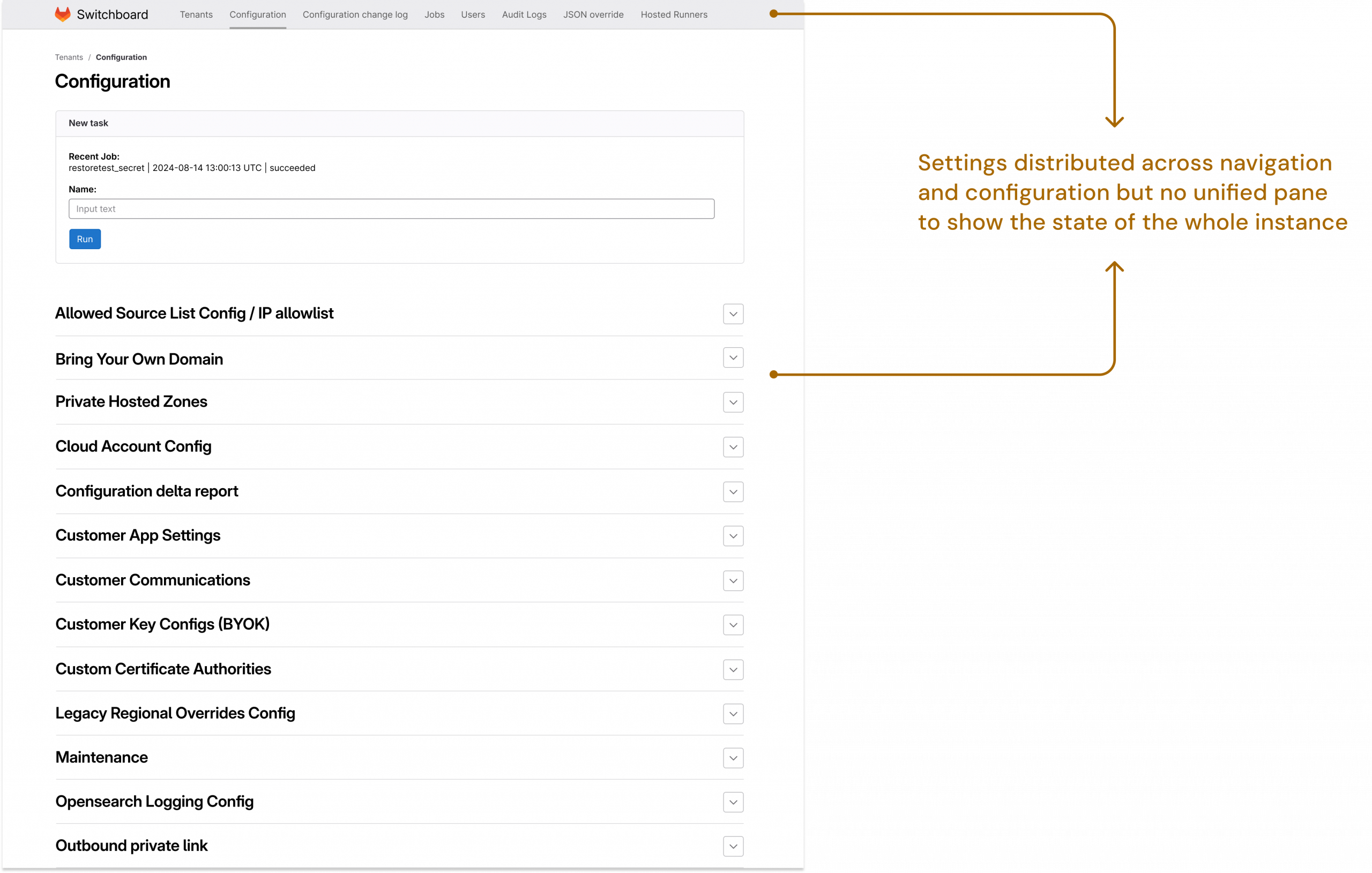
Switchboard has an external view used by the teams on the business side and internal view managed by the internal Gitlab teams. The internal view is primarily used by the Environment Automation team, who support customers by managing complex configuration settings on their behalf.
In the existing layout, the users had to navigate across multiple areas including top navigation and configuration settings to manage a single GitLab Dedicated instance.
Internal teams were spending hours navigating disconnected settings just to manage a single customer environment. Switchboard needed to become the control room it was meant to be.
Objective
To create a single source of truth for all configuration settings used by internal teams to help reduce operational load.
Early-stage product challenge
Switchboard is a highly nuanced workflow, with a limited number of early customers and low usage maturity. This meant there was limited behavioural data to guide discovery, making it necessary to carefully define what information should be surfaced to users. The focus was on shaping an initial understanding internally, then validating it with users to ensure alignment with real operational needs before scaling the solution.
Defining priorities
In order to clearly identify the priorities and eventually estimate the effort of the next stage, I ran a impact effort matrix workshop with all key internal stakeholders. The stakeholders included subject matter experts, support teams, product managers from broader teams and internal team members who were early adopters of Switchboard from the outset.



Figjam workshop screenshots
Designing an overview dashboard
Following the workshop, the most requested issues were prioritised for the first round of design. The overview page needed to provide an easy to scan layout that brings together all key information about the instance without overwhelming the user.
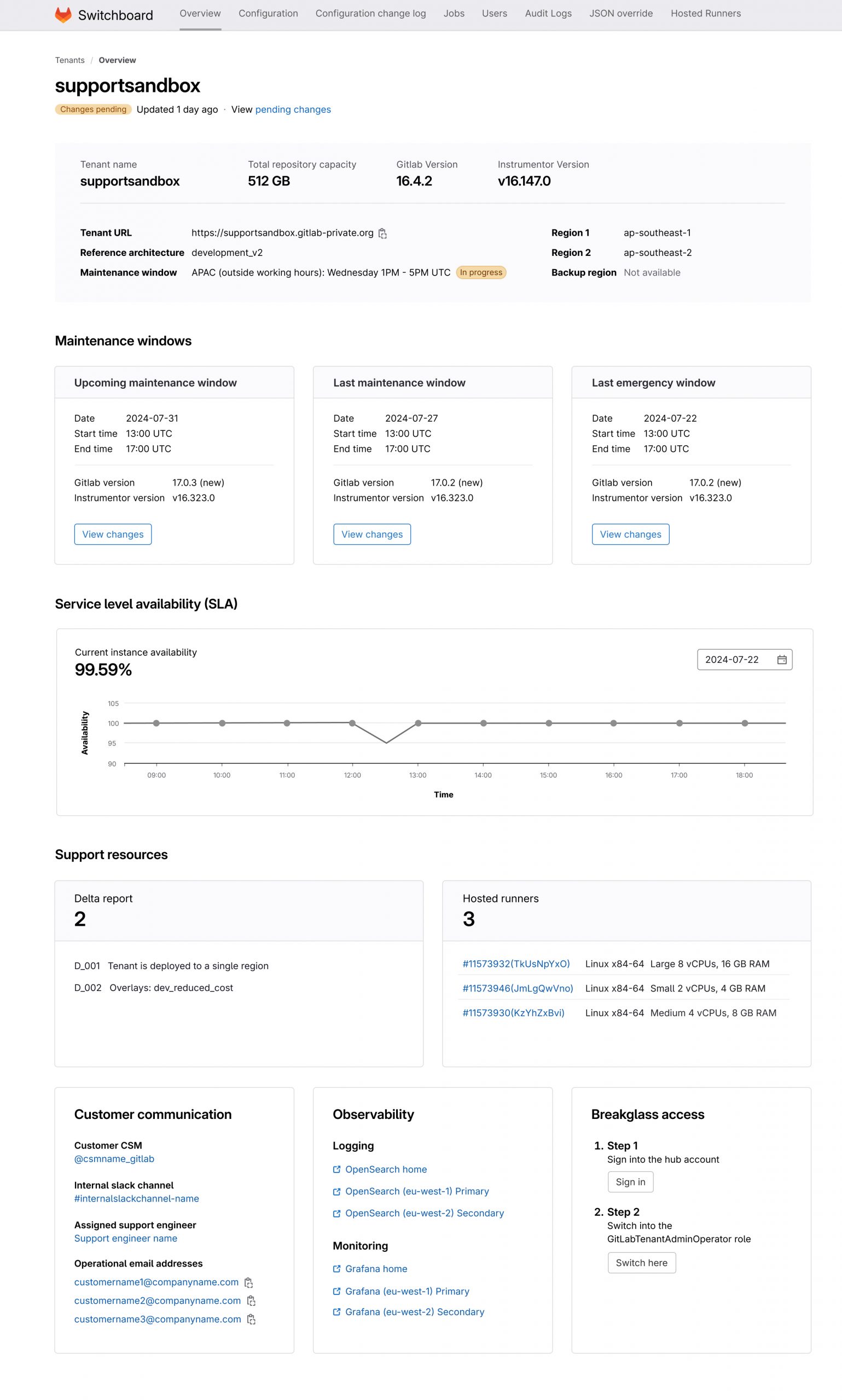
Overview dashboard
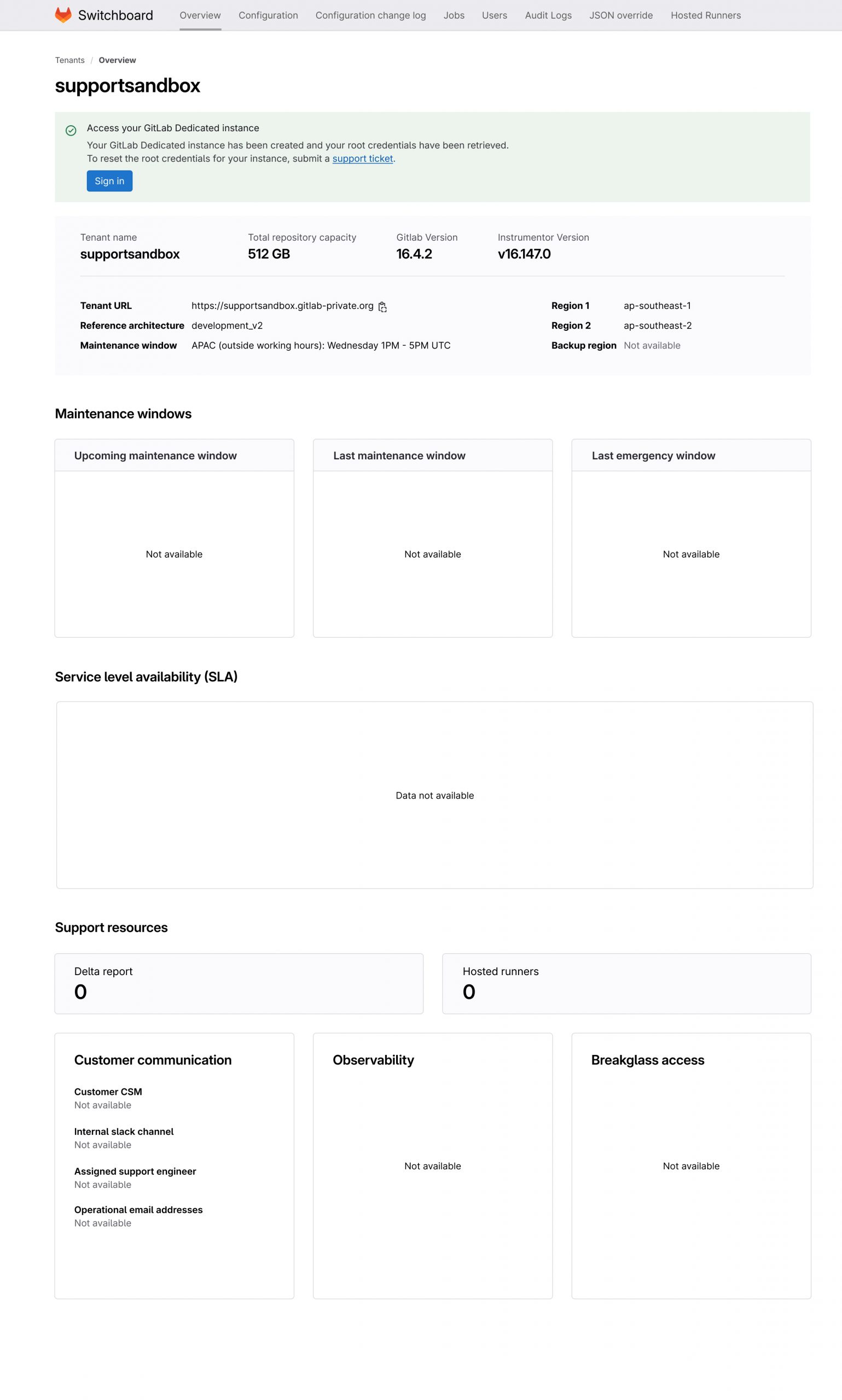
Empty state
Key design elements
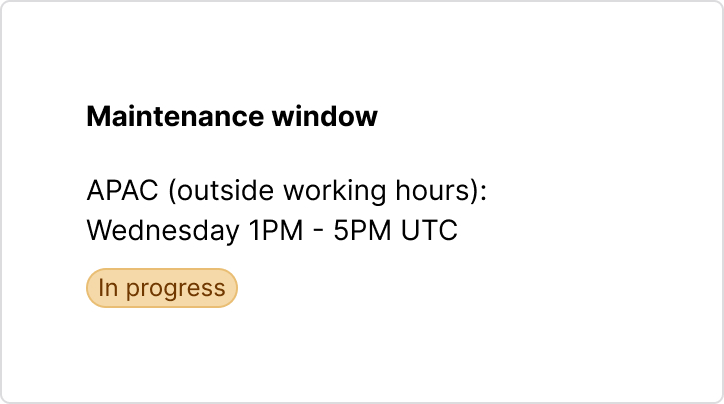
Stay on top of maintenance changes
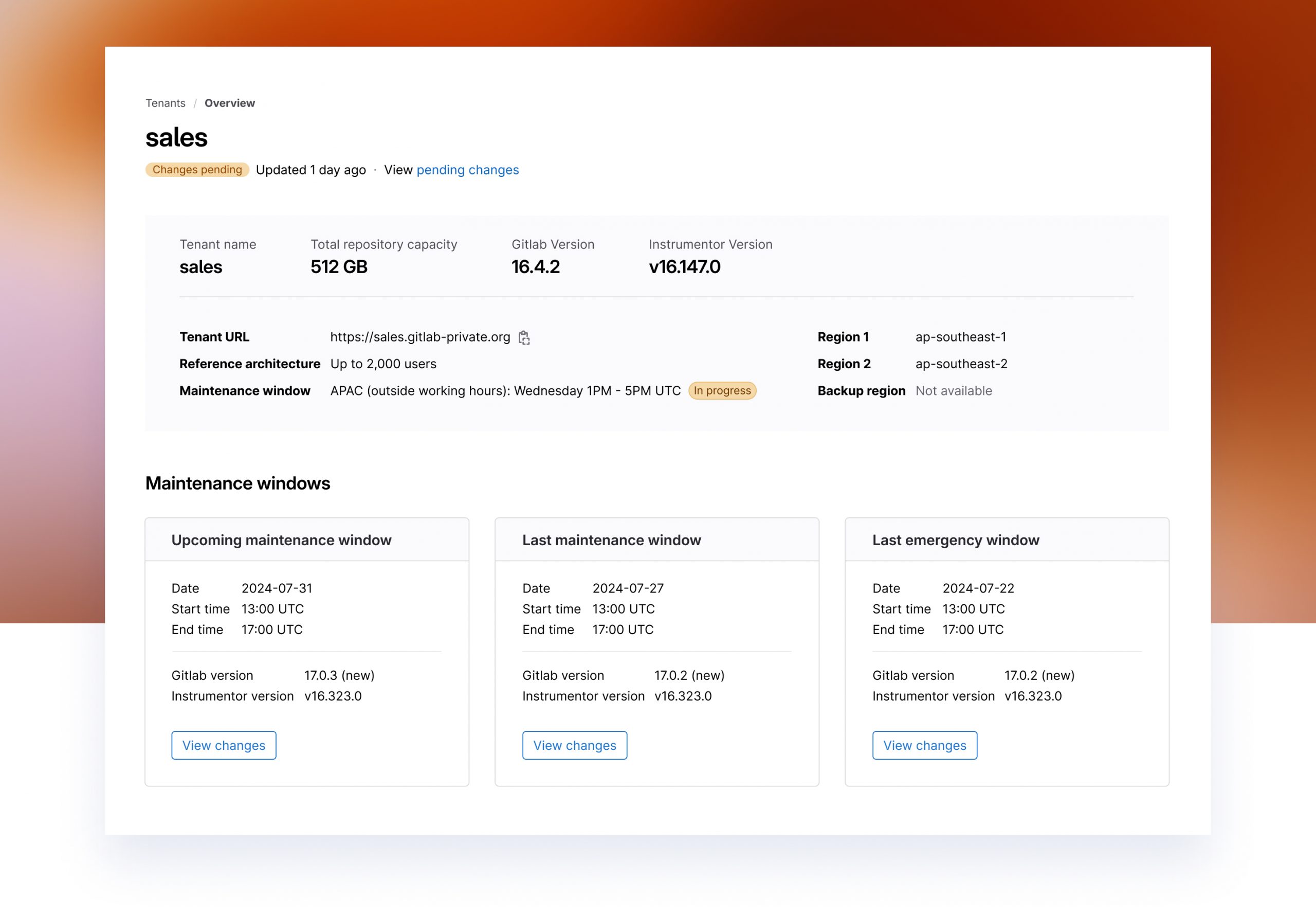
Maintenance windows are critical to managing a GitLab Dedicated instance. The dashboard brings them into a single view organised into upcoming recent and emergency changes making it easy to stay informed and respond quickly.
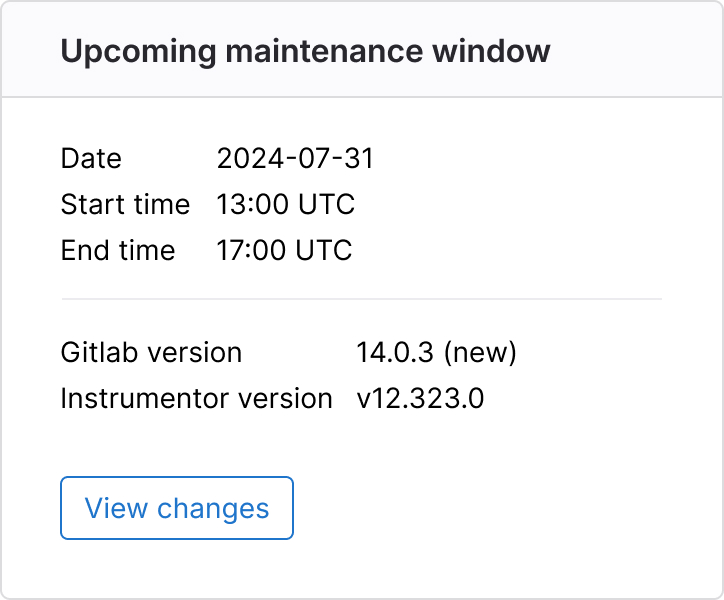
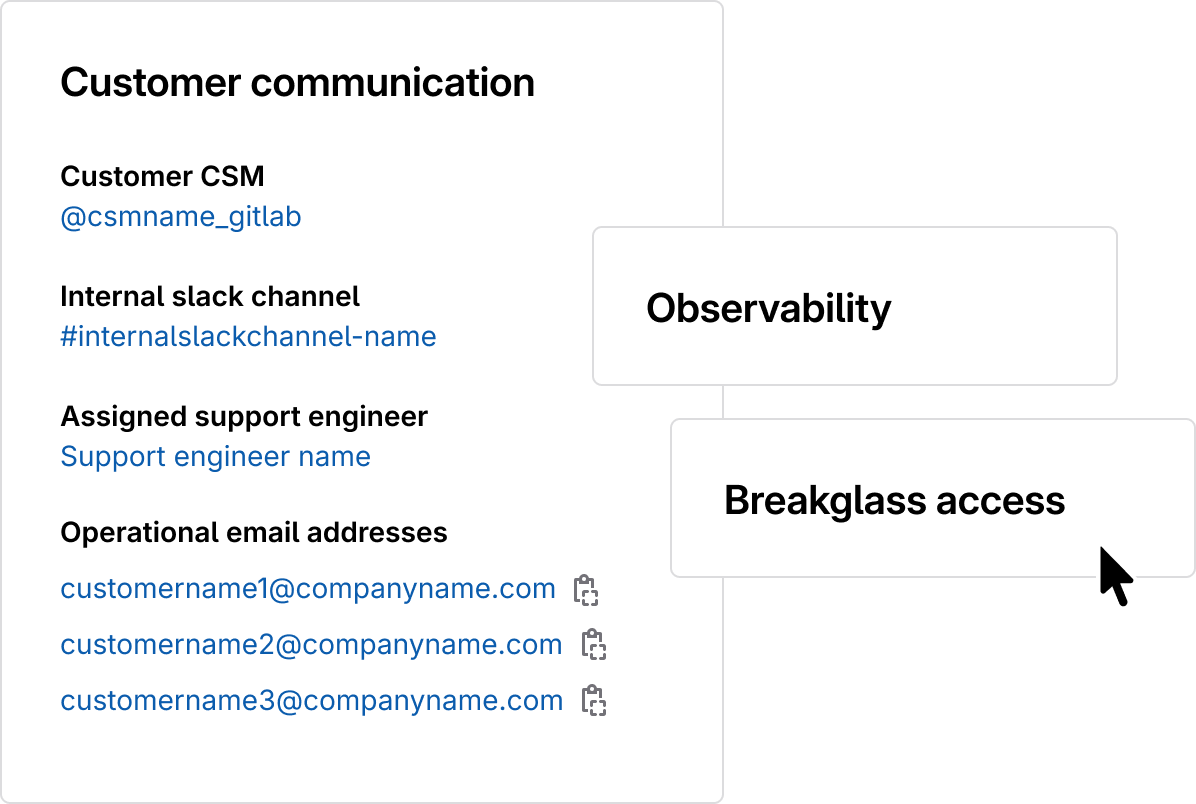
Stay prepared for critical moments
Internal teams can quickly identify the right contacts and access key observability tools
and break glass controls during critical situations. This enabled faster and more
coordinated response when it matters most.
Challenges with design system
GitLab’s official design system Pajamas was built to support GitLab’s core developer workflows, which are largely code-focused and action-driven while Switchboard focuses on complex configuration settings. Some existing components did not fit these needs. I repurposed what worked and introduced new components where required.
This involved working closely with the design systems team to define requirements and make a compelling case for new components while aligning delivery with roadmap timelines.

Design validation
I set up an asynchronous feedback loop through a GitLab issue tracker in order to validate the design workflows. This allowed key stakeholders and users to continuously share feedback in one central place. I was able to review and prioritise the feedback along with product and engineering to prioritise the next iterations.
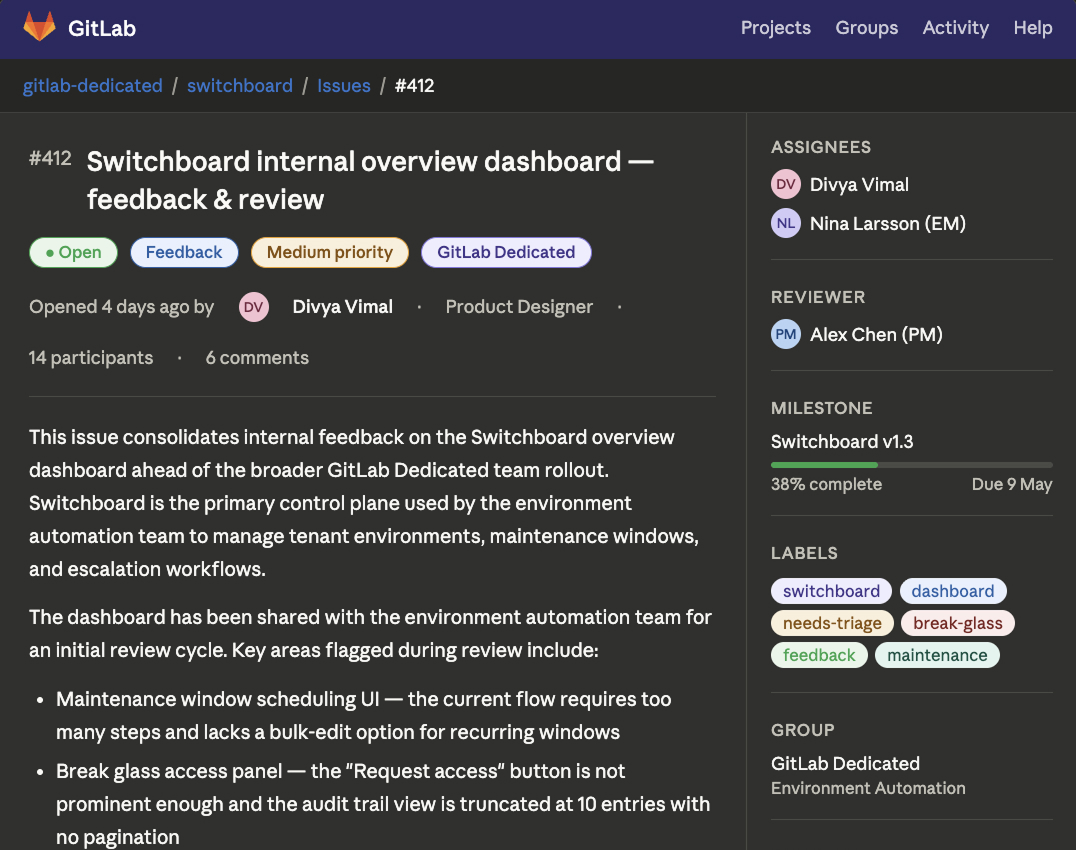
Recreated mockup of issue tracker
Impact
Reduced operational burden by 62%
The overview dashboard decreased the time required to complete routine tasks and the number of interactions needed, minimizing context switching and manual effort for internal teams. It simplified manual tasks, allowing them to focus on higher value work that benefits customers in the long term.
From minutes to real-time visibility
The overview dashboard improved 'time to awareness' of maintenance incidents by bringing key signals into a single, easy to scan view. Environment Automation teams no longer needed to navigate across multiple configuration areas to understand instance status.
Prioritising the need for a complete design system adoption
During this project, Switchboard was at an early stage and only partially aligned with the Pajamas design system. This project helped me to make a strong case for prioritising full adoption of the design system into the product roadmap which helped streamlining the design workflow for the future.
Next case study