CASE STUDY
Winning back game designers' trust and reducing churn in version control plugin
Unity Version control plugin enables game developers, artists and designers to seamlessly merge files into the common repository from within the Unity Editor.

Unity Editor Interface
Core responsibilities
• User research
• User interface design
• Product strategy roadmap for 2024
• Senior stakeholder presentations
Framing the problem
The new plugin, with 23k monthly and 10k daily users, replaced Unity Collab, known for simplicity. Despite its powerful features, some users struggled with the complex workflows of the new tool. The goal was to regain trust by simplifying for artists and students while meeting advanced users' needs.
The new tool should bring back the trust of the lost users who liked the simplicity of the previous tool.
Plan of action
User Research
We gathered insights from customer satisfaction surveys and followed up with interviews encompassing all user personas to comprehend their challenges with the plugin. Additionally, we spoke with users who had left the service because they were reluctant to adopt the new tool.
It became evidently clear that the plugin should cater to the beginner users and also perform the most important tasks for an advanced users. We had to hit that perfect balance and identify the key workflows & functionalities to make this version control plugin self serving.
"We identified critical problems within the onboarding process, the general user interface, and a significant number of bugs and errors that disrupted the primary editor's workflow."
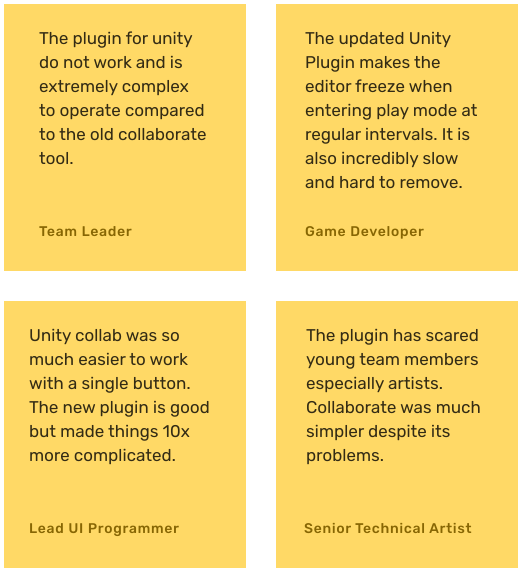
User feedback
Simplifying onboarding workflow to reduce dropoff
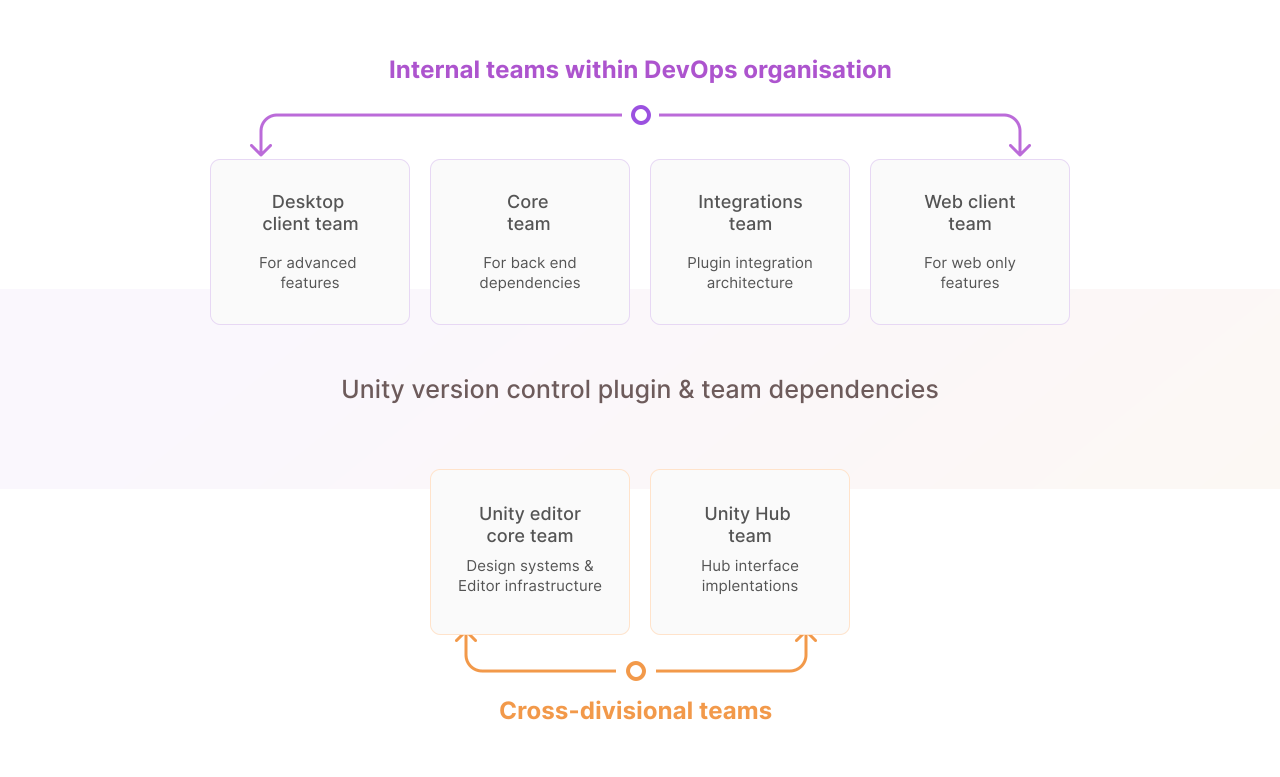
The Unity version control system is an extensive product, encompassing a desktop client, web client, Unity plugin, and several other plugins for many other tools and game development platforms. This particular plugin is engineered to be a streamlined, lightweight version that maintains essential functions without burdening the main editor excessively.
Signposting is an essential aspect of successful onboarding since users are routed to desktop client for advanced versioning functions whilst role and user permissions are directed to the web client. This was the main task I tackled during the redesign.
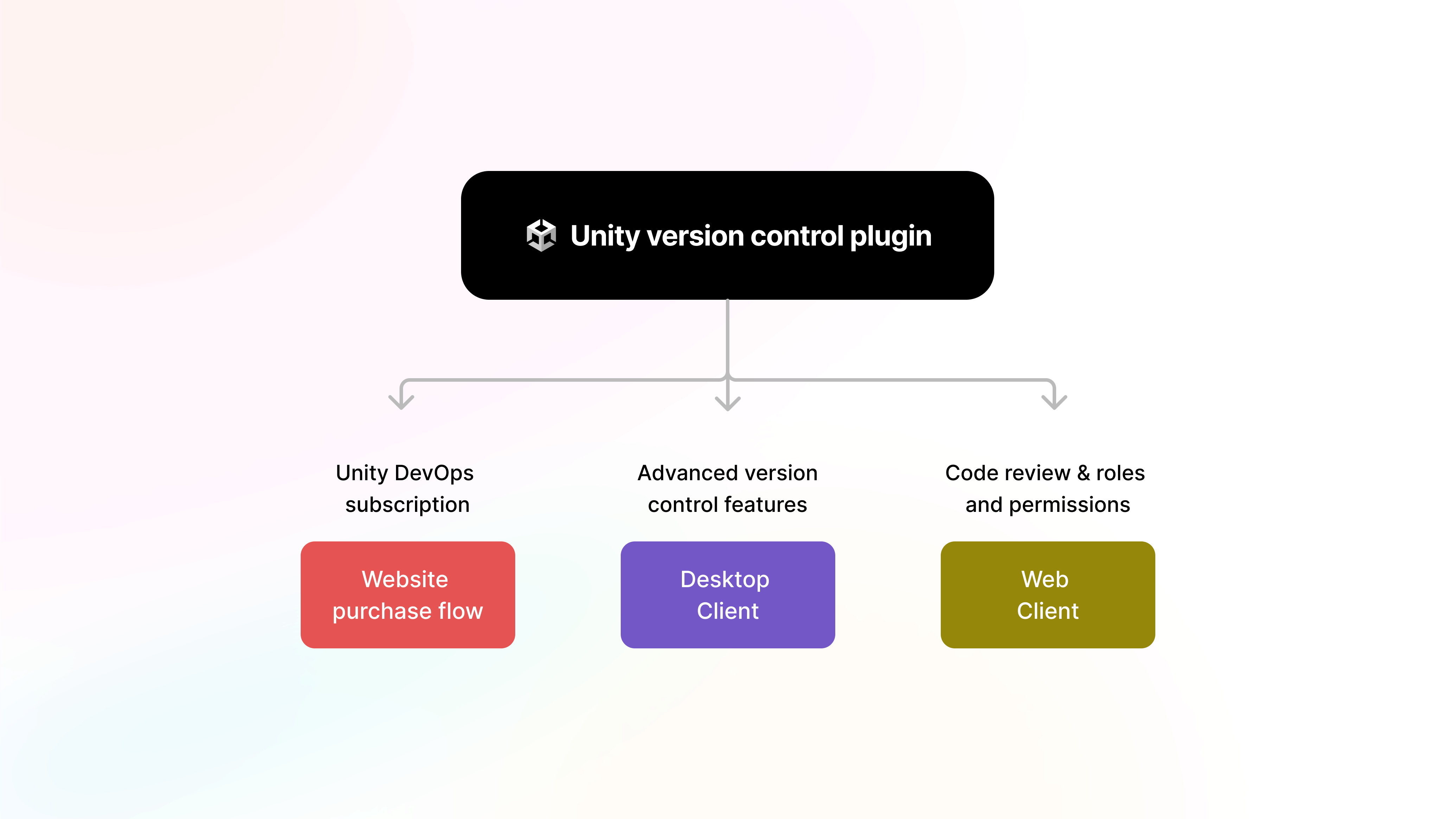
Chart showing dependencies of desktop and web clients
Identifying current onboarding challenges with the core system
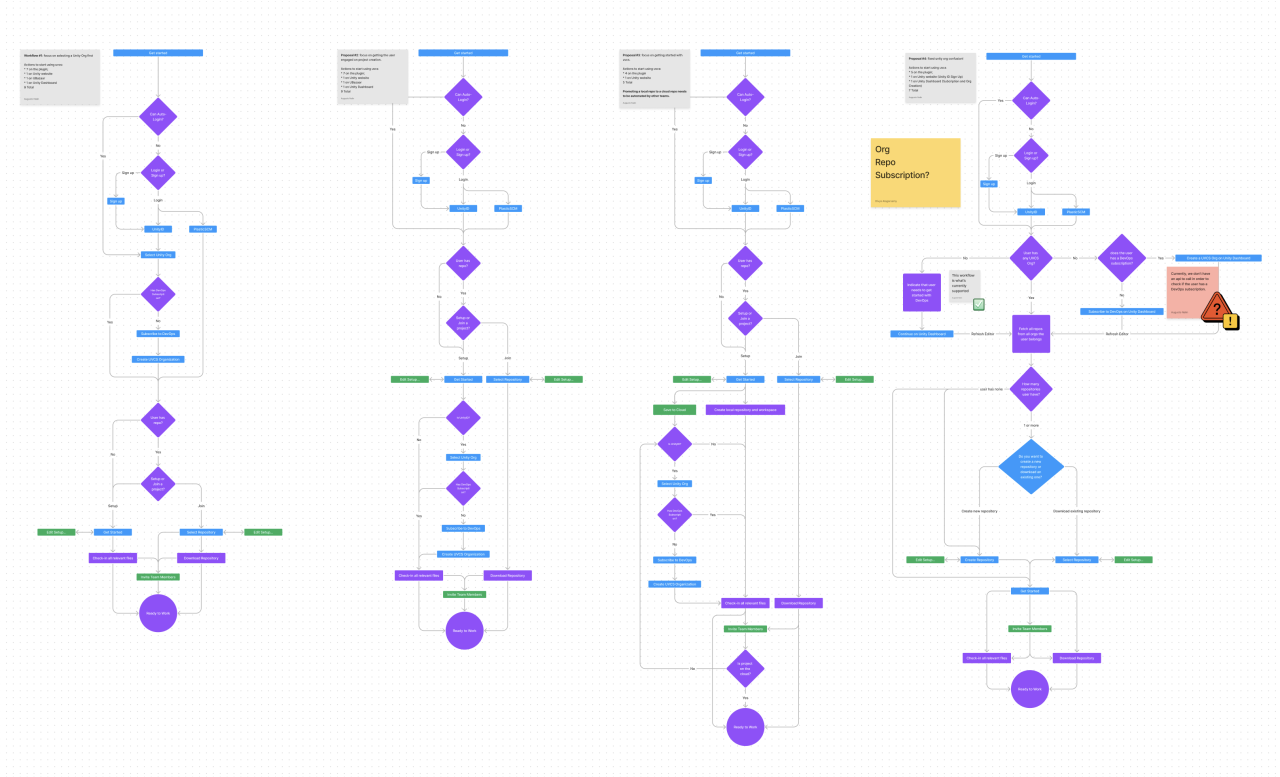
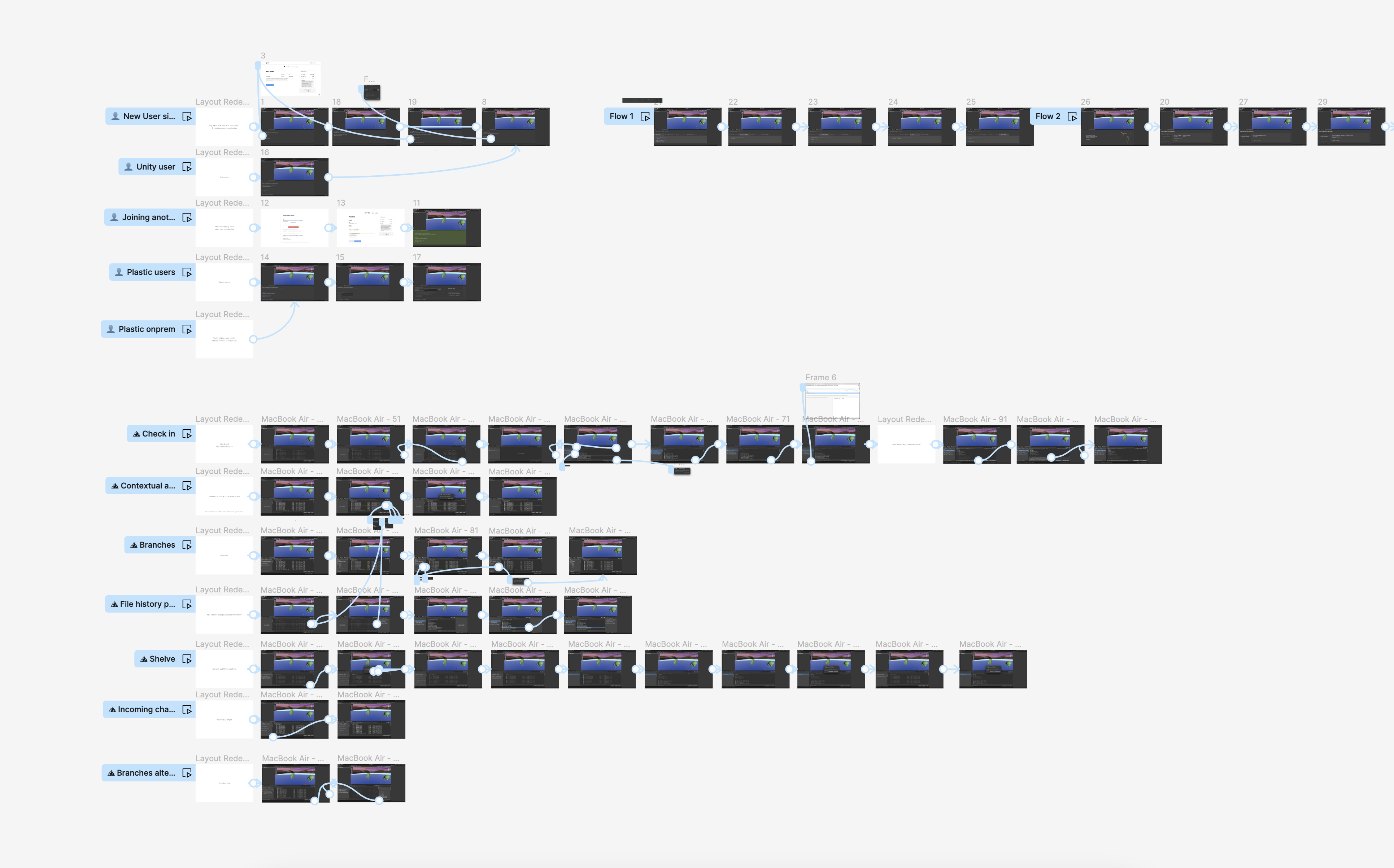
Figma workshop with engineers to map out onboarding issues
Before: Unintuitive onboarding screen
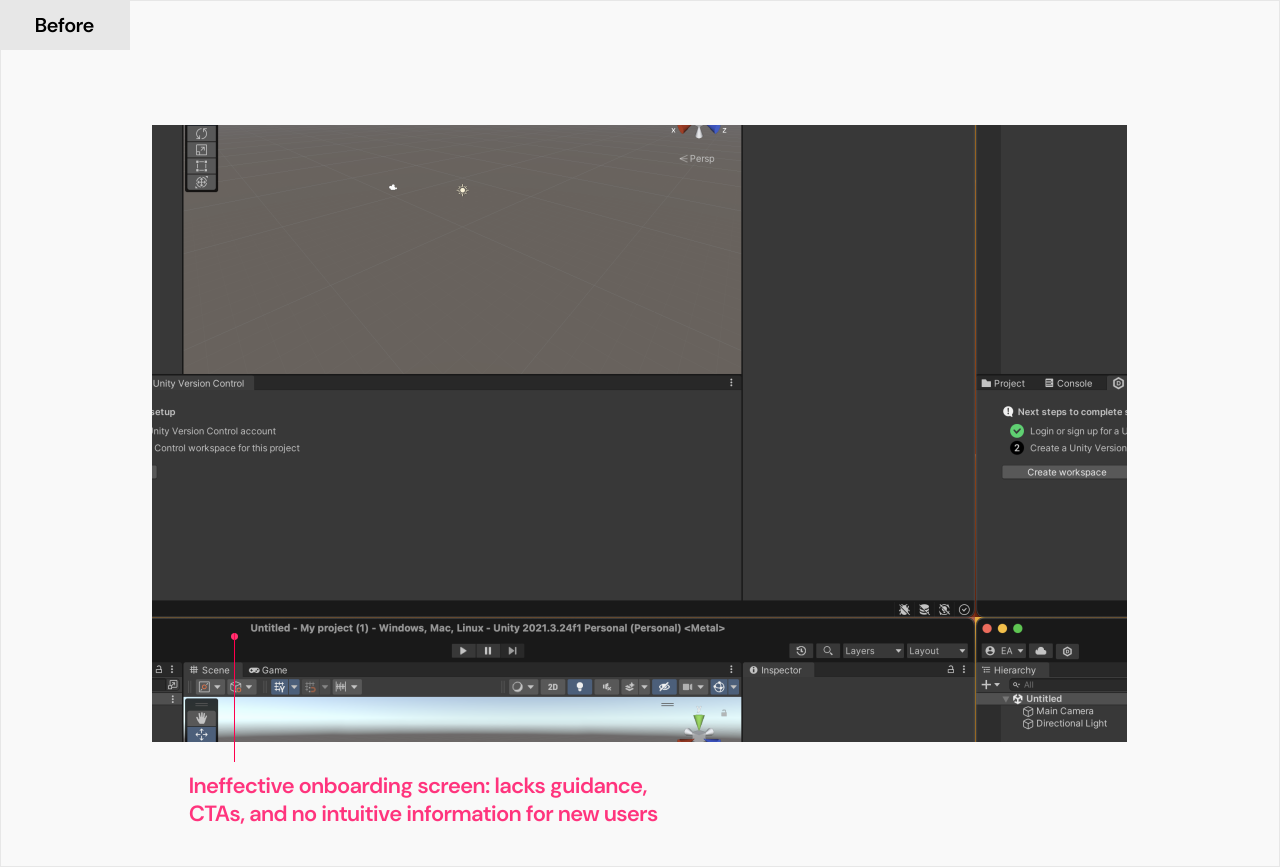
Plugin landing window
After: Launching a structured onboarding process
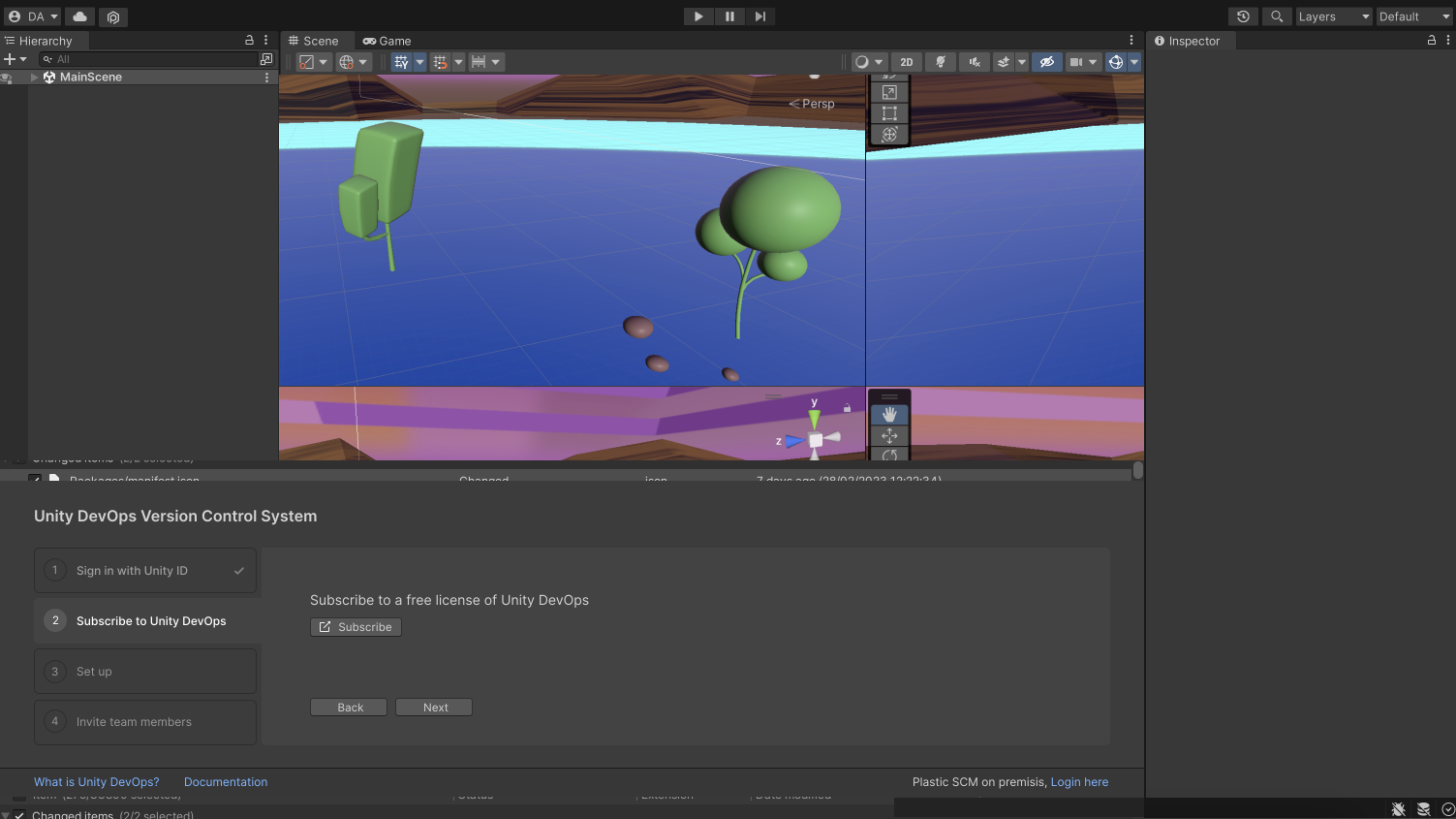
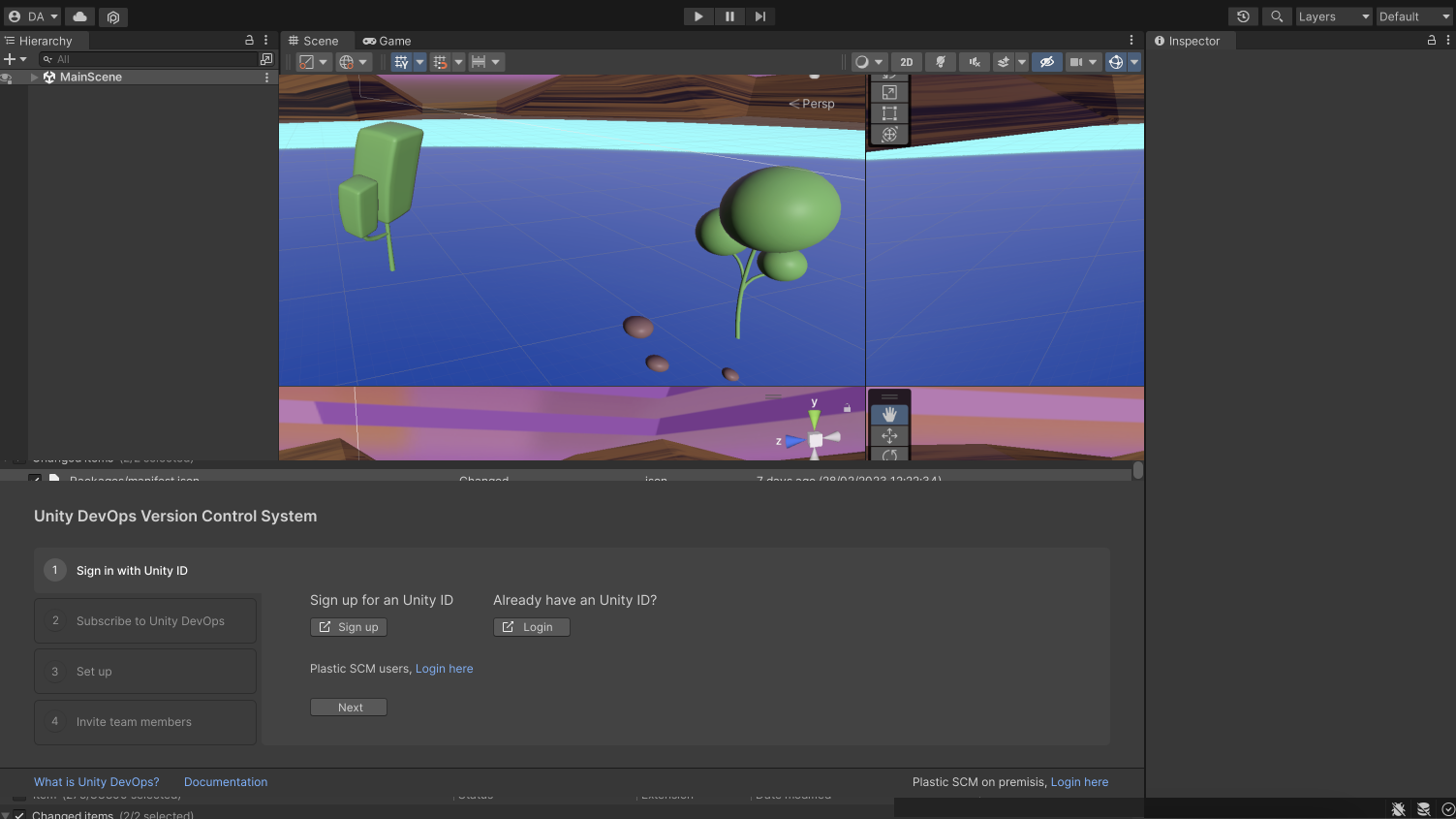
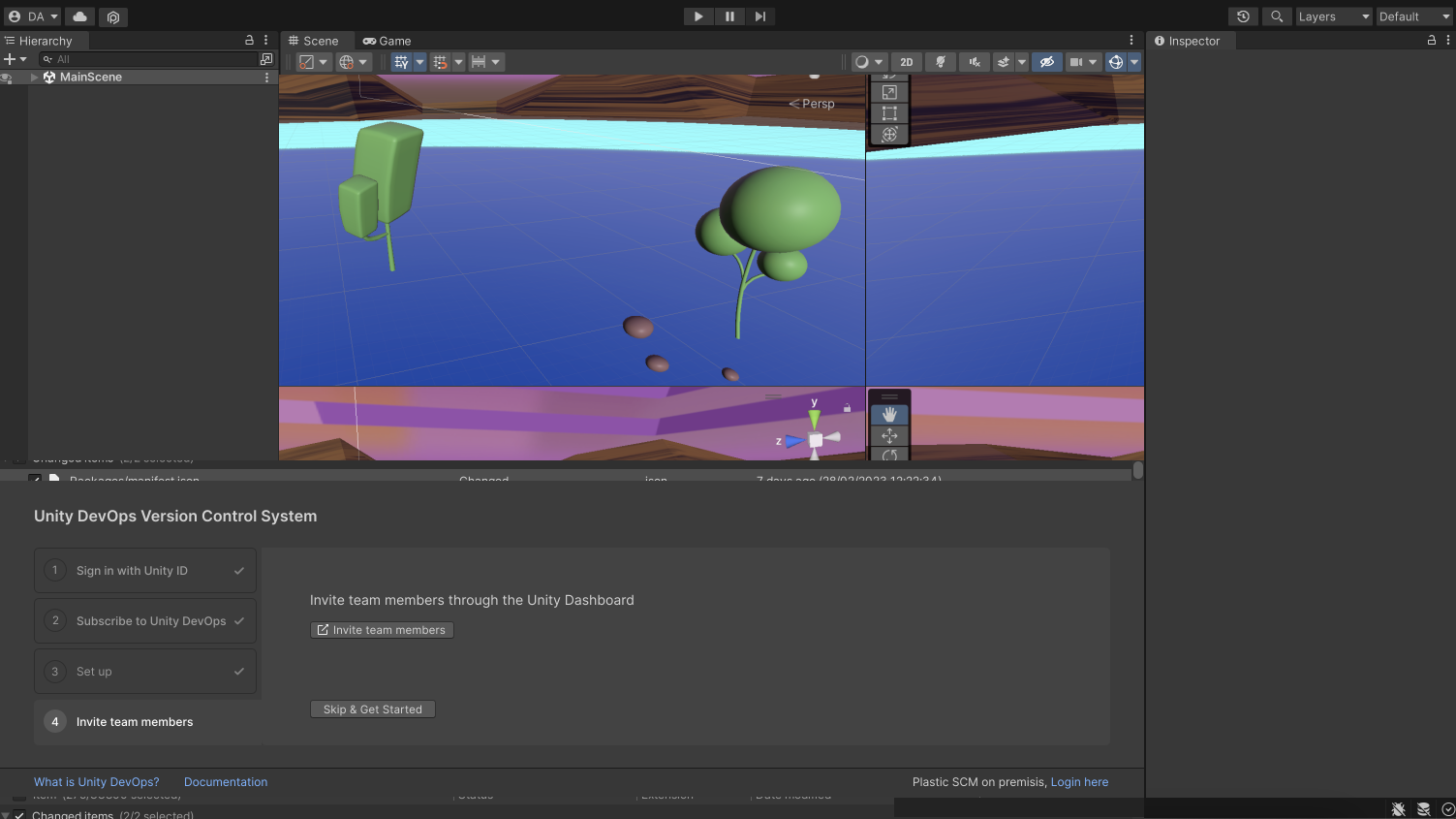
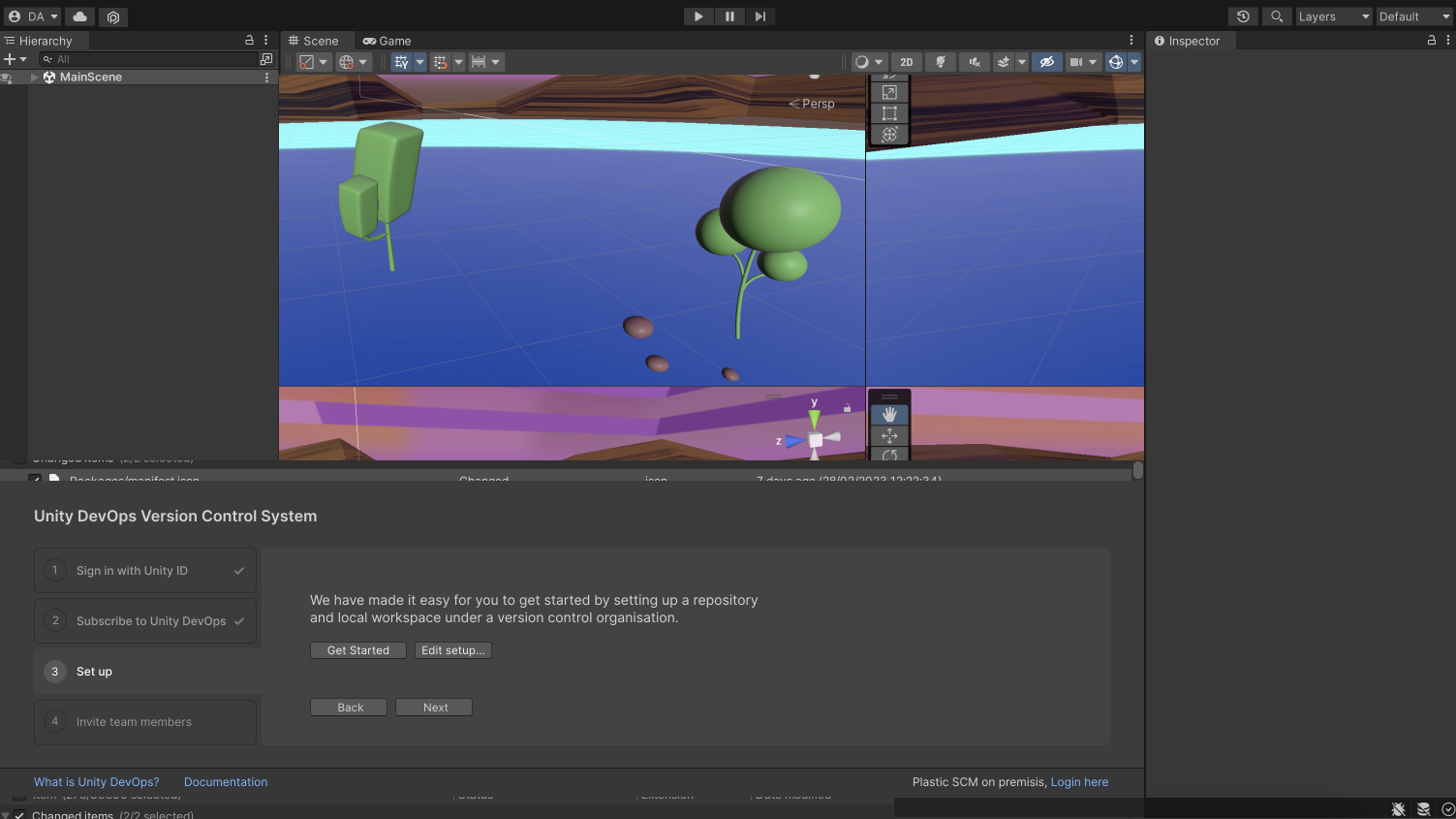
New proposed landing window
User Interface
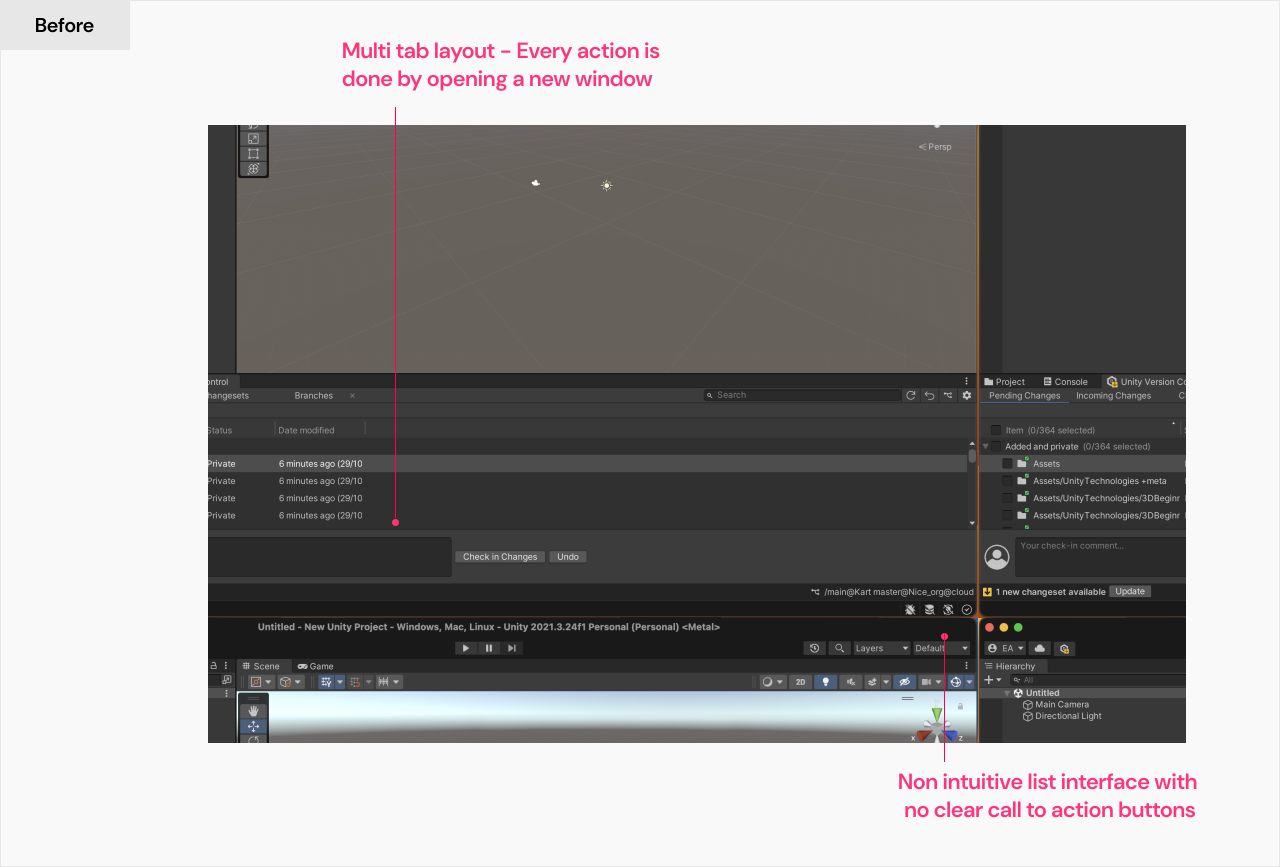
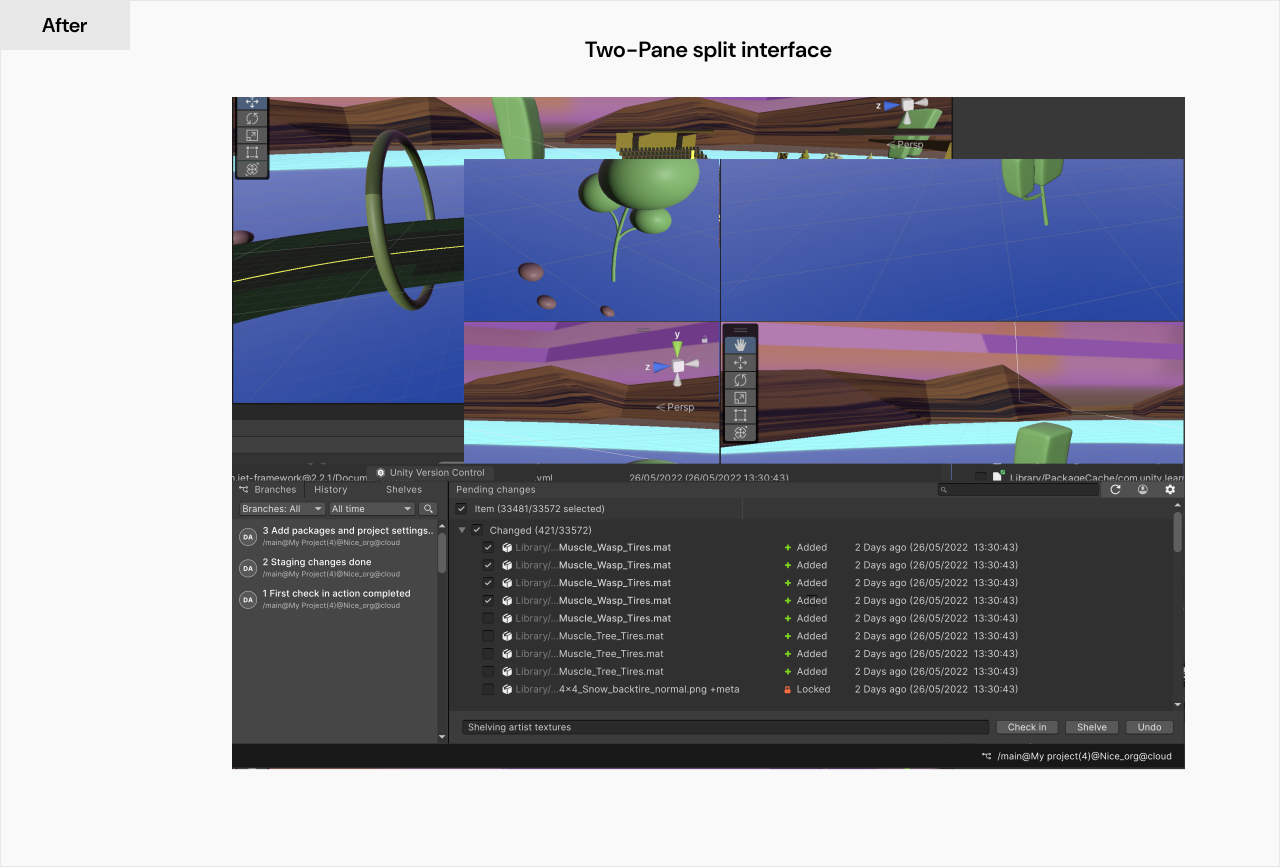
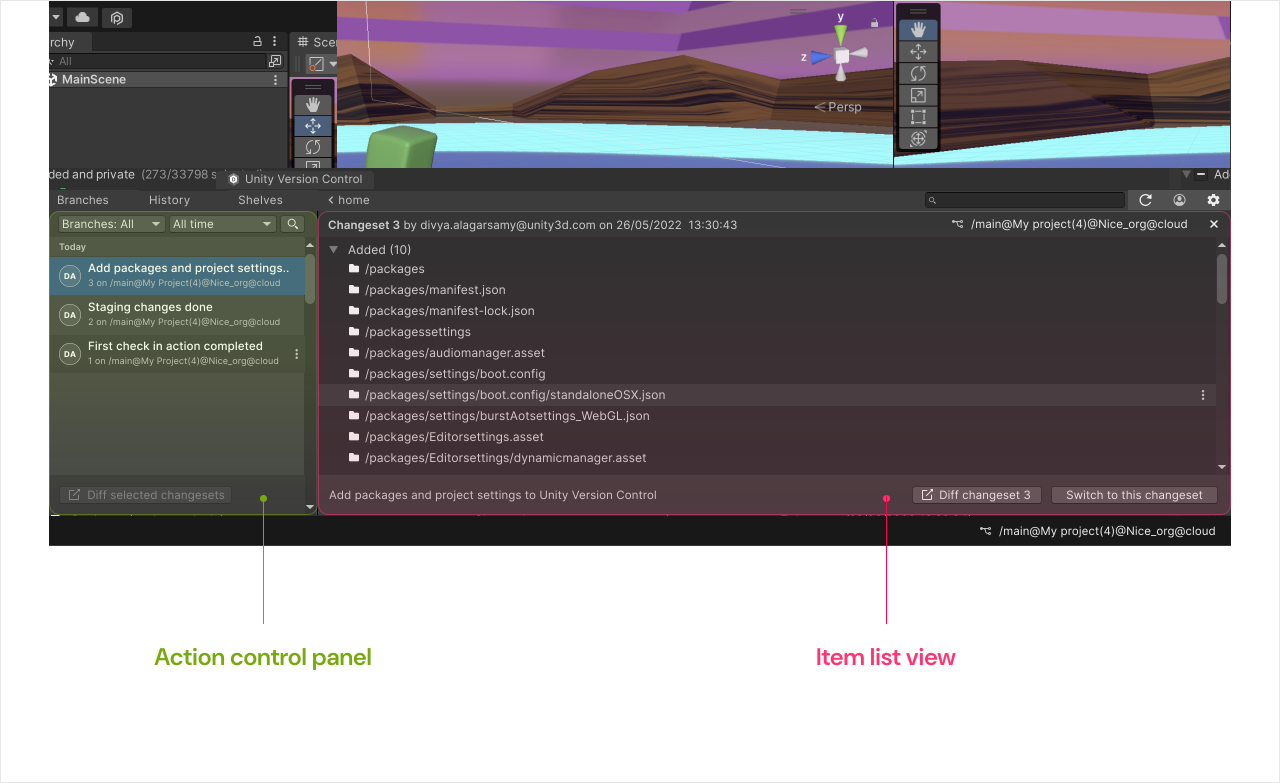
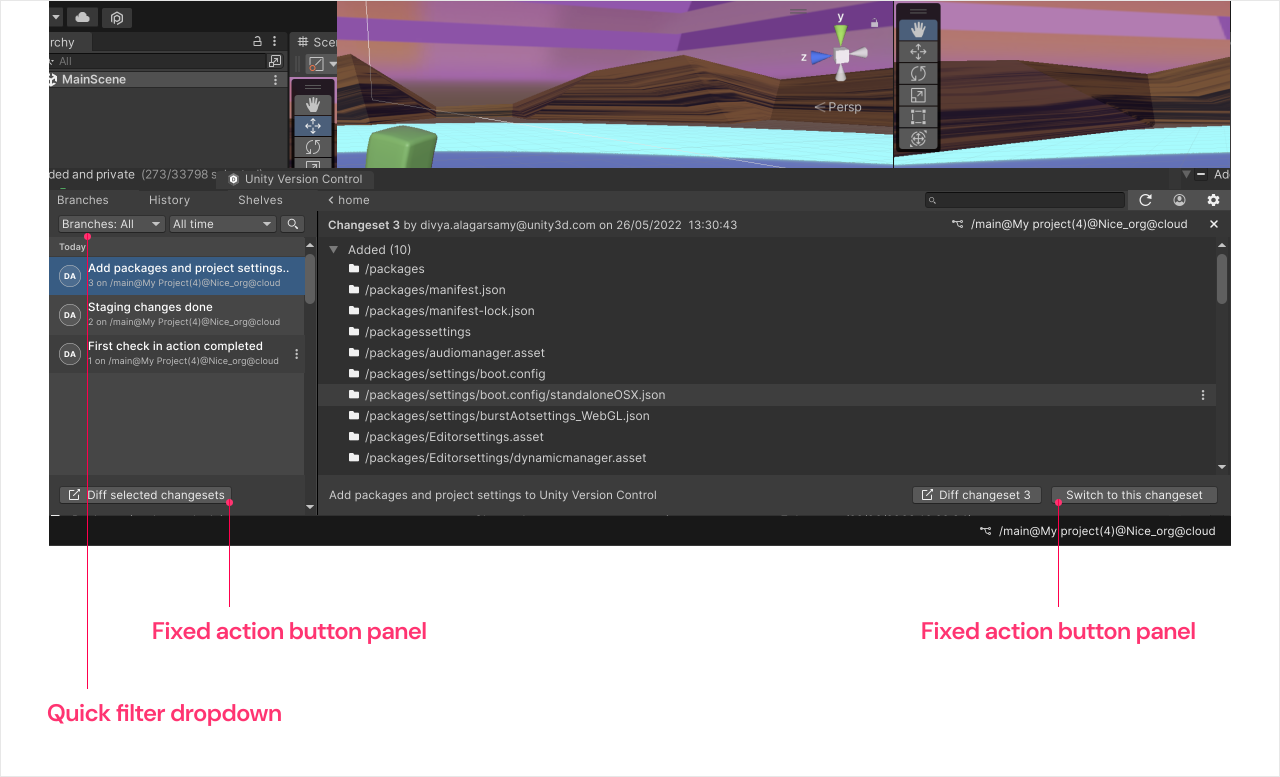
Task: What is the simplest layout we can offer that performs the key version control tasks?
This layout must present a straight forward design, ensuring users at every proficiency level can quickly understand and engage with it swiftly. Most importantly, it needs to integrate seamlessly with the primary Unity editor operations, allowing for effortless task execution.
Managing trade-offs and
technical constraints
The redesign initiative required multiple workshops and challenging discussions with core engineering teams across the board to identify the optimal user-centric solution, as the plugin workflows were constrained by the system limitations of the Unity Editor.
From a design standpoint, the layout faced the challenge of adapting to the Unity Editor's design system, originally created for a game engine and lacking elements for development functionalities. The design system required significant customization to accommodate and integrate the version control workflows effectively.
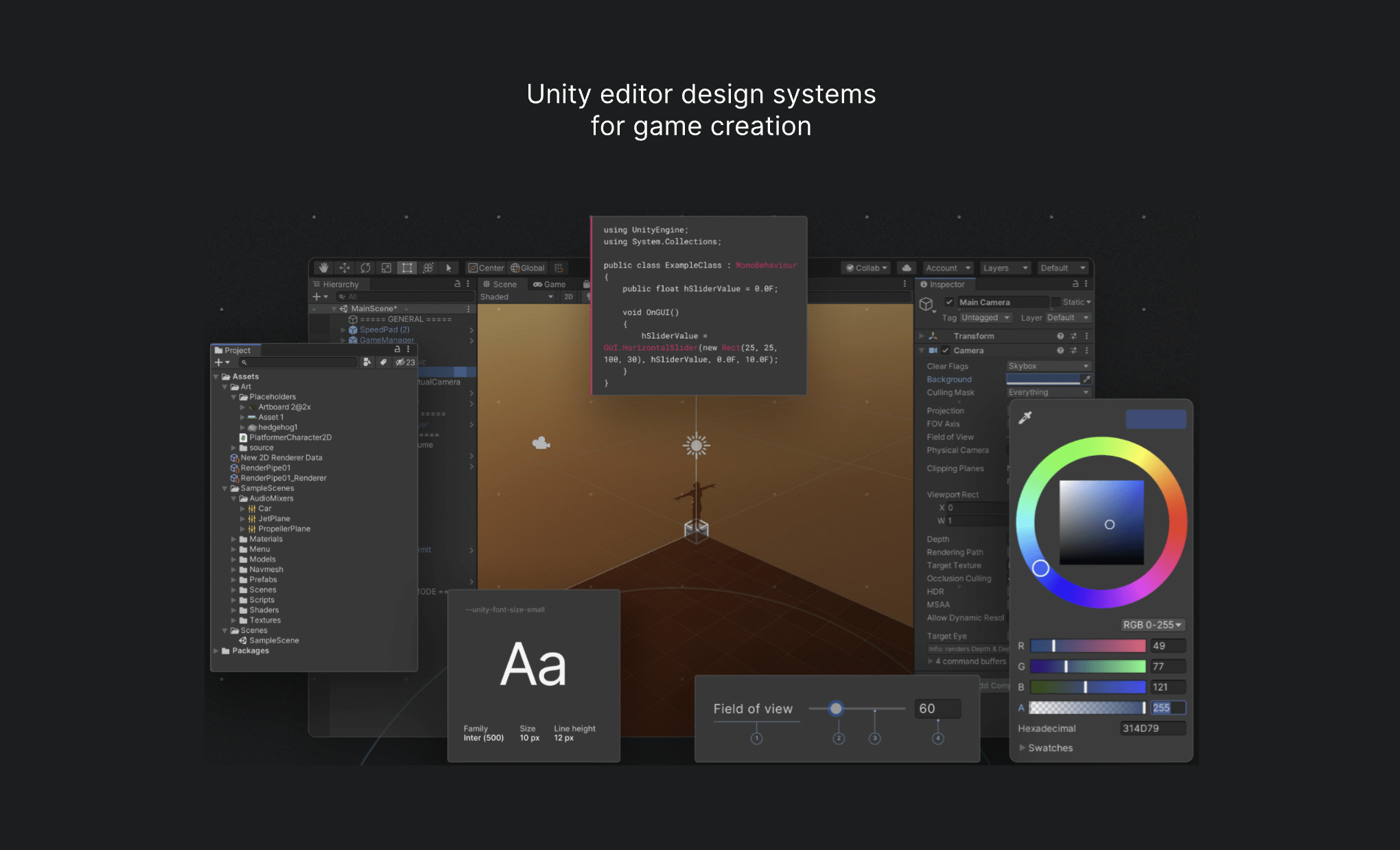
Unity editor foundations design system
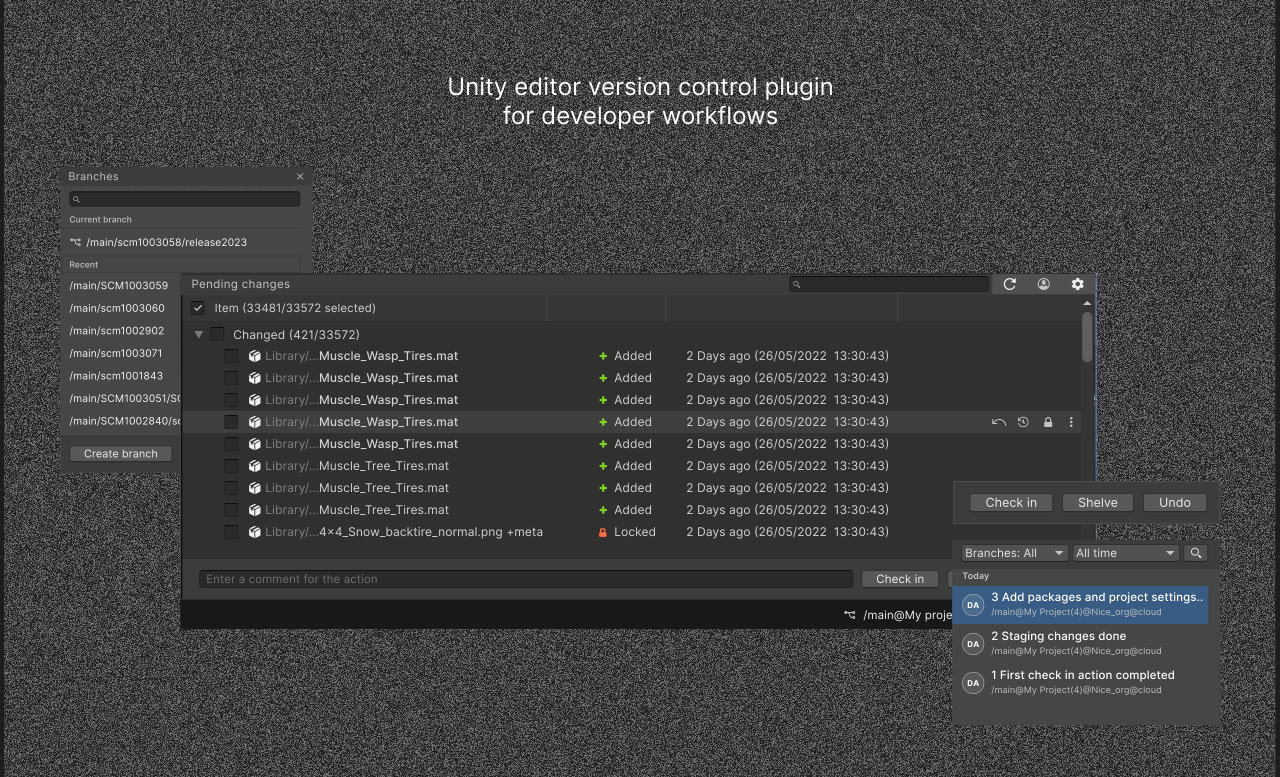
A typical version control interface elements
Cross-functional team collaboration to extract precise information
The redesign demanded several cross-functional communication across the organisation with both internal and cross divisional teams located around the globe. I ran regular catch-ups, questionnaire sessions and workshops with engineers, product managers and other designers to establish the limitations and possibilities of our ideas.
This reminded me how effective communication and fostering great relationships with the right people across the organisation is key to achieving pivotal success in design initiatives.
Impact
We uncovered lots of major onboarding issues including core infrastructure issues which was taken back to the respective teams for a long term seamless solution.
The redesign aimed to bring back users who were dissatisfied with the previous version, indicating an intent to increase user adoption. Prototype feedback sessions had highly positive responses from both developer and non-developer personas, with users expressing appreciation for the improved simplicity. They were highly confident that this improvement would significantly enhance the collaboration and relationship among developers, artists, and designers within the team.
Telemetry indicated a 40% increase in engagement with advanced workflow features among designers and technical artists, particularly in checking history and branches, aspects that remained largely untouched in the previous interface.
Next case study
Redgate Platform